Tracking Your TNT Australia Shipment: A Step-by-Step Guide

TNT Australia, part of the global FedEx family, has been a significant player in Australian logistics for decades. Known for its extensive network handling everything from small parcels to large freight, TNT connects businesses and individuals across the country and internationally. When you send or receive a package with TNT, being able to track its journey is essential for planning and peace of mind.
This guide will walk you through understanding TNT tracking numbers, how to use the tracking system, and what to do if you encounter common issues. Whether you're expecting a delivery or monitoring an outgoing shipment, knowing how to effectively use TNT's tracking tools is key.
For direct assistance from TNT Australia, you can find their official contact information and services on their website:
- Official Website: tnt.com/express/en_au/site/home.html
- Customer Service: Details for phone and online contact are available on their site under 'Support'.
Understanding Your TNT Tracking Number (Consignment Note Number)
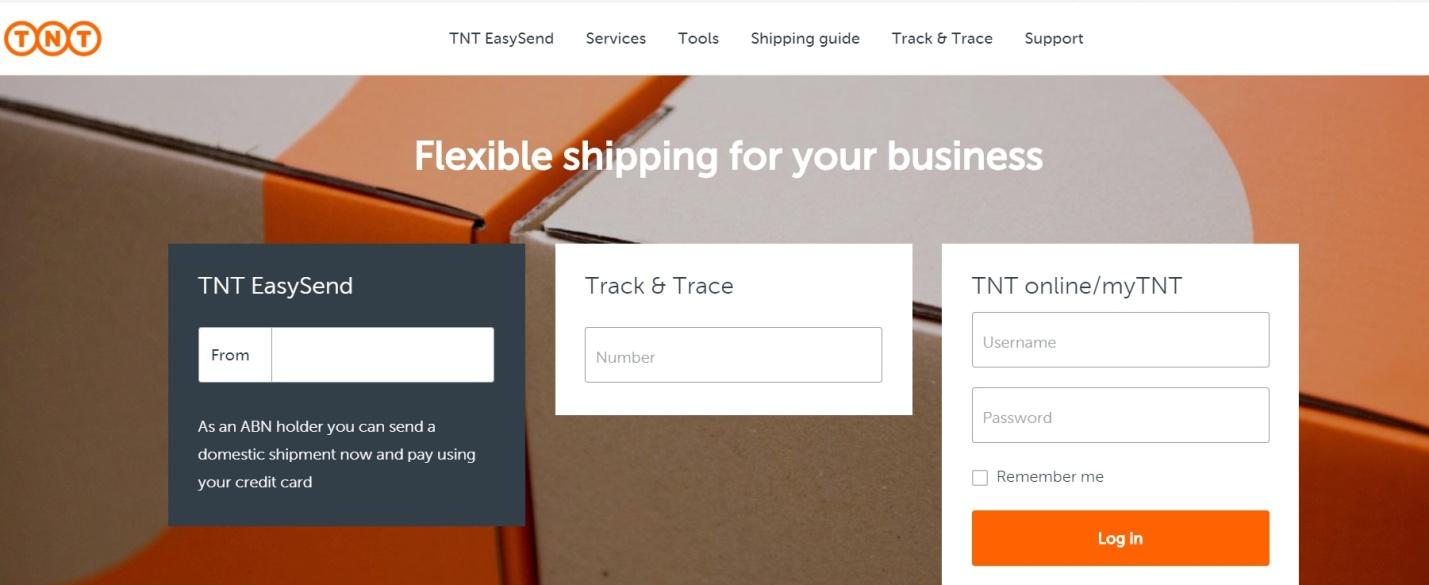
In the world of TNT, your tracking number is typically referred to as a **Consignment Note Number** or **Consignment ID**. This unique number identifies your specific shipment within the TNT system. It's the primary piece of information you need to track your package.
TNT Consignment Note Numbers come in several formats, commonly:
- 9-digit numeric: This is a frequent format.
- 12, 13, or 15-digit alpha-numeric: Other formats may include letters or vary in length depending on the service or origin.
You will receive your Consignment Note Number from the sender. It should be included in the shipping confirmation email they send you or printed on the physical shipping label/receipt if you are the one shipping.
How to Track Your TNT Australia Shipment
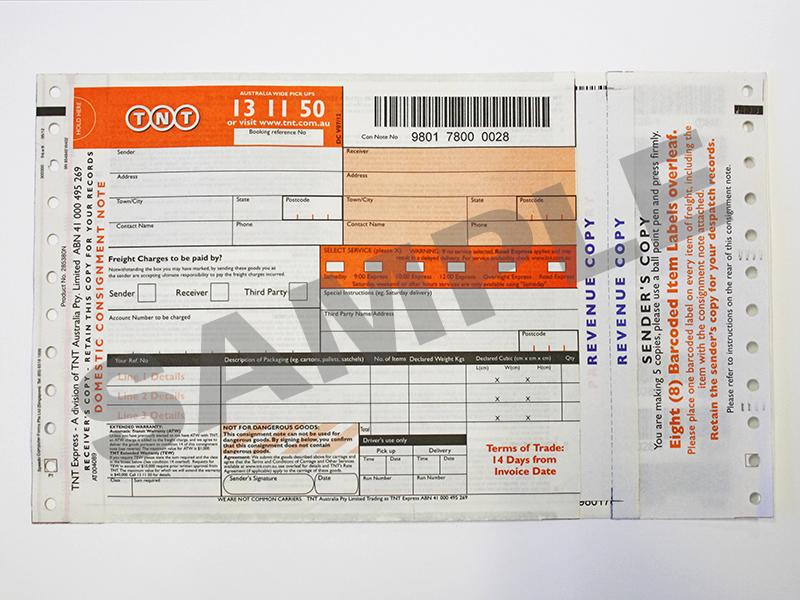
Tracking your TNT shipment is a straightforward process designed to give you updates on its movement. Here are the primary ways to do it:
- Using the Official TNT Website:
- Go to the Track & Trace section on the TNT Australia website (found under 'Shipping Tools').
- Enter your Consignment Note Number (or numbers, you can often track multiple at once).
- Click the 'Track' button.
The website will display the current status, location history, and estimated delivery information for your shipment.
- Using MyTNT (for account holders):
- If you have a MyTNT account (often used by regular senders), log in to access enhanced tracking features, manage shipments, view invoices, and more.
- Using a Third-Party Tracking Website:
- Tools like **k2track.com** offer a convenient alternative for tracking TNT shipments. Simply enter your Consignment Note Number on our homepage.
- **k2track.com** provides the latest status updates directly from TNT's system in a clear format, useful if you are tracking packages from multiple different carriers.
Understanding Common TNT Tracking Statuses
As your TNT shipment progresses, its tracking status will change. Here are some common statuses you might see and what they generally mean:
- Shipment information received
- TNT has received electronic data for the shipment, but the physical package hasn't been picked up or scanned yet.
- Picked up
- TNT has taken possession of the package.
- In transit / On its way
- The shipment is moving between TNT facilities or depots.
- At depot
- The shipment has arrived at a TNT depot (sorting facility).
- Processed at depot
- The shipment has been sorted and is being prepared for the next stage of its journey.
- Out for delivery
- The shipment is on a vehicle for delivery to the final address today.
- Delivered
- The shipment has successfully reached its destination.
- Held at depot
- The shipment is temporarily held at a depot, possibly due to an issue, awaiting collection, or on request.
- Exception
- An unexpected event is affecting the delivery. More details should be available with the status.
- Attempted delivery
- TNT attempted to deliver but couldn't (e.g., no one available, signature required, access issue). A card may be left.
Troubleshooting Common TNT Australia Tracking Issues

Occasionally, you might encounter issues when tracking or receiving a TNT shipment. Here's how to handle some common problems:
Tracking Not Updating or Consignment Note Invalid
- Check the Number: Ensure you've entered the Consignment Note Number correctly. Typos are common.
- Allow Time: If you just received the number, it might take a few hours for the first scan to appear in the system.
- Contact Sender: If tracking shows "Shipment information received" but no pickup scan for an extended period (more than 1-2 business days after expected shipping), the sender may not have given the package to TNT yet. Contact the sender first.
- Contact TNT: If the number is correct but doesn't work after a reasonable waiting period, or if tracking hasn't updated and the expected delivery date has passed, contact TNT customer service for assistance.
Shipment is Delayed
Delays can happen due to weather, operational issues, incorrect addressing, or high volume. If your tracking shows no movement or a delay and the expected delivery date is missed, contact TNT customer service. Provide your Consignment Note Number, and they can investigate the cause and provide an updated estimate.
Tracking Shows "Delivered" But Package is Missing
If the status is delivered but you can't find your package:
- Search Your Property: Check all entrances, porches, garages, and with neighbors.
- Look for a Card: See if TNT left a card indicating attempted delivery or where the package was left/redirected.
- Contact TNT: If you still cannot locate the package after checking thoroughly, report the missing delivery to TNT customer service immediately.
- Contact Sender for Claim: For lost or missing items, the sender (who paid for the service) is usually the party who needs to file a formal claim with TNT. Inform the sender if the package is confirmed lost.
Delivery Exception Occurred
Check the specific details associated with the 'Exception' status in the tracking results. This will tell you *why* the exception occurred (e.g., incorrect address, recipient not available, damaged shipment). You may need to contact TNT to resolve the specific issue, such as providing a correct address or arranging redelivery.
Why Use k2track.com for TNT Tracking?
While TNT's official website provides complete tracking, **k2track.com** offers a simple, centralized platform for tracking shipments from TNT and many other carriers. This is particularly useful if you shop from multiple online stores or receive packages via different delivery companies.
Entering your TNT Consignment Note Number into the search bar on **k2track.com** gives you quick access to the latest tracking status without needing to navigate carrier-specific websites or log in (unless you need detailed account features).
However, for specific service requests, arranging redeliveries, addressing exceptions, or filing claims, you must contact TNT Australia directly via their official customer support channels.
By utilizing your Consignment Note Number and the available tracking tools, you can stay informed about your TNT Australia shipments and proactively address any potential delivery issues.